
Sep 29, 2026 · Michael Stavridis
Bringing Legacy Desktop Software to the Browser Without a Rewrite
A field report from porting FreeCAD to WebAssembly: the business case, the measured results, and the engineering behind it. Written for the executive deciding whether to do it and the engineer who has to.
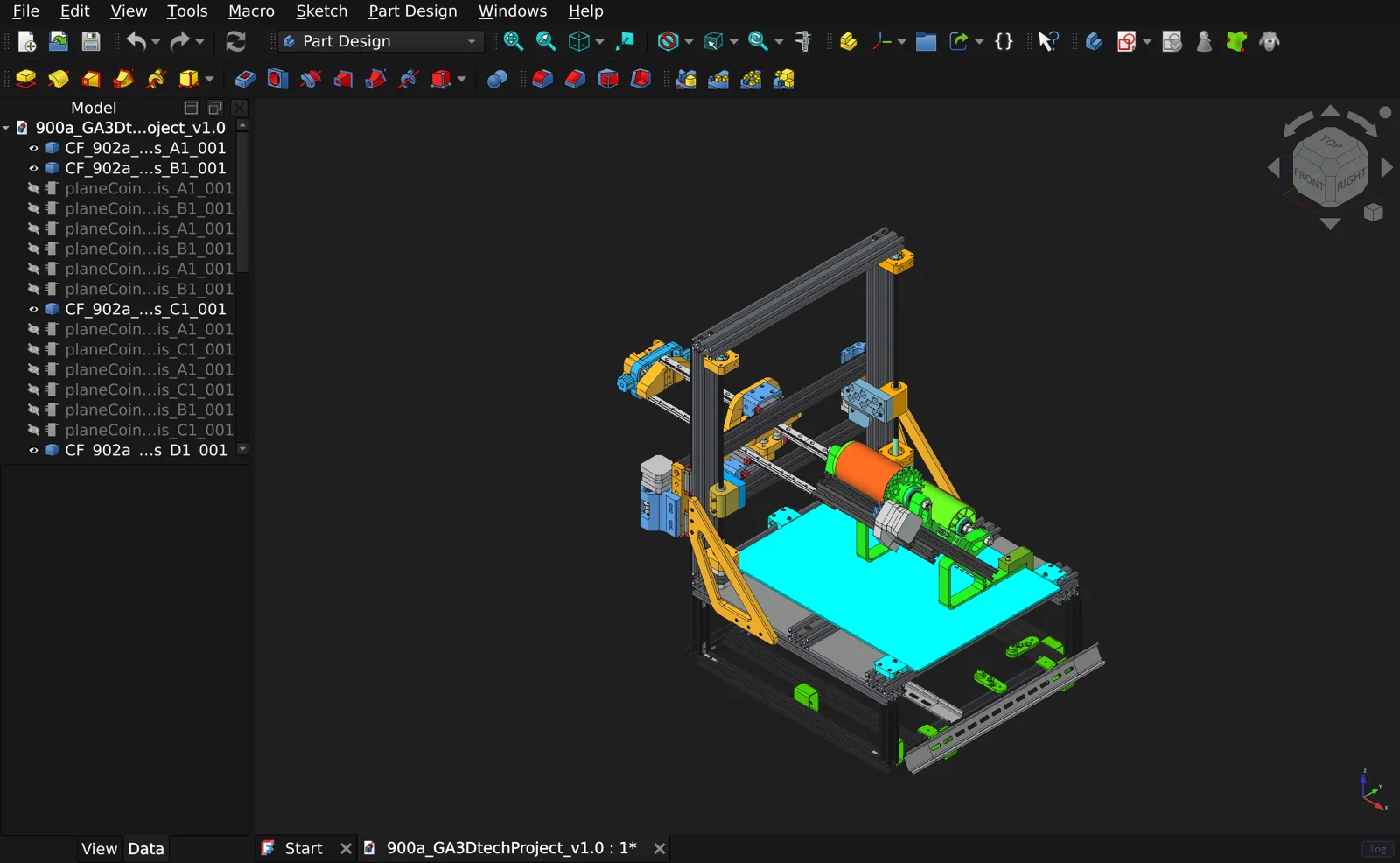
Want to see the result first? Run FreeCAD in your browser. It is free and needs nothing installed.
Contents
- Executive summary
- Part I: The business case
- Part II: The case study 5. Why FreeCAD, and what “done” meant 6. Results
- Part III: The porting approach, in depth 7. Working principles 8. Architecture of the finished system 9. Toolchain decisions that shape everything else 10. Rebuilding the dependency world 11. Blocking: the central problem of every desktop port 12. Threads in a browser 13. Graphics: legacy OpenGL on WebGL 2 14. Input 15. Files, storage and data safety 16. When the application expects an operating system 17. Delivery, caching and deployment 18. Performance engineering 19. Verification: how to know it actually works 20. Beyond parity: what the web adds
- Part IV: Applying this to your software 21. Assessing your application 22. How an engagement runs 23. Honest limits 24. About
- Appendix A: Glossary for non-specialists
- Appendix B: Key numbers
Executive summary
Most companies that own serious desktop software have been told the same thing about the web: if you want it in a browser, you rebuild it. That means a second codebase, a multi-year programme, and a product that trails the original for years while the team maintains both.
I set out to test that assumption on the hardest target I could find that was fully public: FreeCAD, a professional open-source 3D CAD and engineering suite. It isn’t a program so much as a stack of large ones:
- the OpenCASCADE geometry kernel
- a Qt 6 desktop interface
- a Coin3D scene graph drawing with legacy OpenGL
- a full embedded Python 3 runtime that most of its tools are written in
- numpy and matplotlib
- two separate finite-element tools: Gmsh for meshing and CalculiX for solving.
Eleven weeks after the first commit, version 1.0 of freecad-web shipped at https://freecad.virtastic.app. That’s the real FreeCAD 1.1.3, compiled to WebAssembly and running entirely on the user’s own machine inside a Chrome, Edge or Firefox tab. There’s no install, no plugin and no rendering server.
- All 20 workbenches work on the first click.
- About 500 of FreeCAD’s own unit tests pass in the browser.
- Structural analysis runs end to end in the tab. Gmsh meshes and CalculiX solves, and the results agree with beam theory to within 1% across solids, shells, beams, contact, vibration, heat and nonlinear cases.
- Opening files takes no more than twice as long as desktop FreeCAD on the same machine. On some drawings the web version is faster.
- Return visits download nothing. The 115 MB application is held in the browser’s cache and is ready in about 8 seconds.
There’s a second payoff that matters as much as distribution. A desktop application is native code installed on every endpoint, and that makes it a permanent security and operations burden: installers, patch cycles, EDR exceptions, data scattered across machines, and logs nobody collects. Moving the same application into the browser changes where all of that lives:
- nothing to install or patch on endpoints
- one version in use
- the company’s own single sign-on in front of it
- one controlled path for every file that leaves
- a single place to log user actions.
Section 4 covers this in detail.
This paper is written for two readers:
- The executive who needs to decide whether a browser version of a legacy product is feasible, what it costs and what it returns. Part I and Part IV are for you.
- The engineering leader who needs to know how it’s actually done, and what will go wrong. Part III is a detailed account of the approach, the mechanisms that broke, and how each was found and fixed.
freecad-web is an independent project. It is not affiliated with or endorsed by the FreeCAD project. FreeCAD is LGPL-licensed, and all of the porting work is public at https://github.com/Virtastic/freecad-web.
Part I: The business case
1. The problem with successful desktop software
The desktop applications that matter most to their companies are usually the oldest. They carry decades of domain knowledge in the form of numerical methods, file-format edge cases, and validated behaviour that customers rely on without ever seeing it. That knowledge is the asset. The desktop is increasingly the liability.
Distribution friction. Every install is a small sales obstacle:
- an installer to download
- admin rights to obtain
- an IT ticket in a regulated company
- a security review of a new executable
- a version matrix across Windows, macOS and Linux.
Each step loses some prospects, and enterprise customers are the most expensive to lose this way.
Support cost. Customers run old versions on unusual machines with unusual drivers. A large share of support effort goes to the environment rather than the product.
Sales and trials. Most desktop vendors end up maintaining a separate “web demo”, a simplified viewer or a video walkthrough, because the real product can’t be tried from a link. The demo drifts away from what customers actually buy.
Platform and talent risk. Desktop UI frameworks age. Engineers who want to work on them get harder to hire. Meanwhile customers, especially younger ones and larger organisations, increasingly expect software to open in a browser tab.
The rewrite trap. The obvious answer is a web rewrite. It’s also the riskiest one:
- It asks a new team to re-derive, in a new language, behaviour the old code encodes implicitly.
- The old product has to be maintained in parallel for years.
- The rewrite is always behind: every feature ships twice.
- Numerical code in particular doesn’t survive translation cleanly. A geometry kernel or a solver that took fifteen years to harden can’t be re-implemented from a specification, because the specification is the code.
2. Four ways to reach the browser, compared
There are four realistic routes. Each has a place.
| Rewrite as a web app | Stream the desktop app (VDI / pixel streaming) | Wrap in a desktop shell (Electron-style) | Compile the existing code to WebAssembly | |
|---|---|---|---|---|
| Keeps the existing code | No | Yes | Only if already web-based | Yes |
| Runs in a browser tab | Yes | Yes (as video) | No, still installed | Yes |
| Where compute runs | User’s machine | Your servers | User’s machine | User’s machine |
| Server cost per user | Low | High: a GPU or VM per session | None | Low: static files |
| Behaviour matches desktop | Only as far as re-implemented | Exact | Exact | Exact, where the browser allows |
| Latency | Local | Network round-trip on every input | Local | Local |
| Works offline once loaded | Depends | No | Yes | Yes |
| Time to first result | Years | Weeks | Weeks | Weeks to months |
Streaming is quick to stand up, but it turns every user into a recurring infrastructure cost, and every mouse movement into a network round-trip. It’s a good bridge; it’s a poor destination.
Rewriting is right when the product is mostly a front end to a server, or when the old code is genuinely worth discarding.
Compiling the existing code to WebAssembly is the option most companies don’t know is realistic for large, old, native applications. This paper is about that option.
3. What a native WebAssembly port gets you
One codebase. The web version is built from the same source tree as the desktop version. Browser-specific changes live in a small, reviewable patch layer on top: in this project, 114 files changed out of FreeCAD’s tree. When the desktop product gains a feature, the web version gains it on the next build.
This isn’t hypothetical. The port started on FreeCAD 1.0 and was moved to FreeCAD 1.1.3 partway through the project.
Zero-install distribution. A link is the installer. Prospects try the real product, not a demo. Customers on locked-down laptops, contractors and partners all get the same thing, and updates reach everyone on their next visit.
Compute stays on the user’s machine. The server hands out static files. There’s no per-user GPU, no session VM and no scaling problem. A thousand concurrent users cost roughly what a thousand downloads of a large file cost.
Data stays local by default. The user’s documents live in their own browser storage. Nothing is uploaded unless they choose to share. For customers with confidentiality requirements, that’s a much easier conversation than “your models live on our servers”.
Self-hosting and air-gapped deployment. Because the application is static files, it can be delivered as a single Docker container that a customer runs inside their own network. freecad-web installs with one command, and the installer verifies the running site before reporting success.
It becomes a platform for new features. Once the application lives in a web page, features that would be hard to add to a desktop product become ordinary web work. In this project I added two things desktop FreeCAD doesn’t have (Section 20):
- Shared sessions: send a link and a colleague watches your live model in their own browser.
- An AI-assistant endpoint: it lets tools like Claude or Codex see and operate every one of the application’s 459 commands.
The modernization sequence changes. A port doesn’t replace modernization. It re-orders it:
- Ship the existing product to the browser with its behaviour intact.
- Modernize pieces behind that stable surface, one at a time, each with a working product to test against.
Compare that with the rewrite sequence: stop, rebuild everything, and hope the new product matches the old one.
4. Security, compliance and operations: taking the desktop off SecOps’ plate
For many companies the strongest argument for a browser version isn’t sales. It’s security and operations. A legacy desktop application is a piece of unmanaged native code on every endpoint that runs it. Moving it into a web page changes where every security control lives, and most of them get simpler.
What a legacy desktop application costs security teams
Anyone who has run IT for an engineering company will recognise this list:
- Every install is new executable code on an endpoint. It needs code signing, antivirus and EDR exceptions, application allow-listing reviews, and admin rights to install. Each vendor update restarts that cycle.
- Patching is a fleet problem. A vulnerable version lives on for years on the machine of whoever never updated it, and nobody can say with confidence which versions are running where.
- The application drags its own old dependencies onto every machine. Bundled runtimes, an old copy of OpenSSL, an old Python, redistributable libraries. All of them are patched on the vendor’s schedule, not the customer’s.
- Data spreads everywhere. Files live on local disks, network shares, USB sticks and email attachments. Data-loss prevention has to inspect every endpoint and every channel.
- Logs stay on the machine. Each install logs locally, if at all. Getting a record of who did what means deploying and maintaining an agent.
- Identity is bolted on. Desktop tools usually have their own login, a licence server, or no identity at all. Single sign-on and multi-factor authentication have to be integrated per operating system, if they’re possible at all.
- Network access is unrestricted. A desktop program can open any outbound connection it likes, so firewall rules end up written per application.
None of that is caused by the product’s features. It’s caused by the architecture: native code, installed and executed on machines the vendor doesn’t control.
What changes when the same application runs in a browser
There’s nothing to install and nothing to patch on endpoints.
- The application runs inside the browser’s sandbox, the same isolation that separates every website from the machine. It has no admin rights, no access to the local filesystem, no ability to start processes, and no native code on the endpoint.
- An update is one deployment on the server. Every user runs it on their next page load, and rolling back means serving the previous version.
- Version sprawl disappears: there’s exactly one version in use, the one being served.
- In freecad-web, the application files are addressed by their content hash and served as immutable. Every release is checked by comparing checksums of what production actually serves against the build.
- The build is reproducible byte for byte. For a supply-chain audit, you can prove that the binary users run was built from the source you reviewed.
Identity moves to the front door.
- Because the whole application is served from one origin, it can sit behind the company’s existing identity provider: single sign-on, multi-factor authentication, conditional access and device posture checks.
- This works through a standard authenticating proxy, without changing the application itself.
- Access is granted and revoked centrally, and leavers lose access the moment their account is disabled.
- Today, the public freecad-web runs without a login, by design, because it’s a public demonstration. Its sharing service uses optional viewer and editor passwords, and stores only their hashes. An enterprise deployment adds the identity provider in front of the same container.
Data leaves through one door you control.
- In a desktop application, a file can leave through thousands of paths, and DLP has to watch all of them.
- In freecad-web, every file the user opens or saves goes through one bridge in the page. FreeCAD’s own file dialogs were patched to hand off to it (Section 15).
- Every network request the application makes goes through allow-listed, same-origin proxies on the server. The cross-origin isolation the application needs anyway makes the browser refuse to load resources from other origins unless they explicitly allow it.
- That gives a security team single, code-level places to enforce policy:
- block or allow export formats
- require a classification before a download
- watermark exported drawings
- log every export with the user, the document and the format
- restrict network access to approved destinations.
- Because it’s a web page, the organisation’s managed-browser policies also apply to it without any work from the vendor. Where an organisation manages Chrome or Edge centrally, that can include download, clipboard and printing restrictions.
User actions become auditable.
- Every action in FreeCAD’s interface goes through its command system. The AI endpoint described in Section 20 exposes all 459 commands through that same layer.
- That dispatcher is the natural place to emit an audit event for every action: who ran which command, on which document, and when. The events can be streamed to the organisation’s SIEM (security event logging system).
- The server already sees every file served, every shared session and every proxied request, so those logs come without extra instrumentation.
- The public freecad-web doesn’t ship an audit trail today. The architecture makes one a contained piece of work, not an endpoint agent project.
Data residency becomes a configuration choice.
- By default, freecad-web keeps documents in the user’s own browser storage, and nothing is uploaded unless the user shares. A server that holds no customer data has nothing to breach.
- For regulated customers who want the opposite, documents can be stored on the server instead, behind the same identity provider. That gives central retention, backup, legal hold and eDiscovery.
- Both models are deployments of the same application, not two products.
Deployment stays inside the customer’s walls.
- The whole application ships as one container that serves static files.
- A customer can run it inside their own network or an air-gapped environment, with no inbound connections to endpoints and no dependency on the vendor’s cloud.
- The freecad-web installer verifies the running site before reporting success: the security headers, the content types, and the contents of the engine payload.
Old native code is contained.
- Legacy C and C++ carries legacy bugs. On the desktop, a memory-safety bug in a file parser can become code execution on the user’s machine.
- Inside WebAssembly, that same code has no system calls to reach. In this port, subprocesses, raw sockets and arbitrary file access were all replaced with browser mechanisms (Section 16).
- A memory bug can still corrupt the application’s own data inside the sandbox. But escaping to the machine requires a separate browser exploit, the same bar as any other website.
AI access goes through an interface you can govern.
- AI agents are arriving in engineering workflows whether IT plans for them or not. On the desktop, they drive applications through screen automation or scripting hooks nobody audits.
- freecad-web gives them one endpoint instead:
- It’s off until the user enables it.
- It’s minted per user, and the server stores only a hash of its token.
- It inherits exactly the rights of the user’s own session.
- In an enterprise deployment, that endpoint can sit behind single sign-on, and every tool call can be logged like any other action.
Side by side
| Concern | Legacy desktop application | The same application in the browser |
|---|---|---|
| Deployment | Installer, admin rights, signing, EDR exceptions | A URL |
| Patching | Per endpoint; old versions linger | One deployment; instant rollback |
| Version in use | Unknown mix | Exactly one |
| Identity | Separate login or none; SSO per platform | The company’s identity provider, in front of the app |
| Data loss prevention | Every endpoint, every channel | One file bridge and one network egress point, in code you control, plus browser policy |
| Audit logging | Local logs, agents | Command-level events and server logs, centrally |
| Network access | Arbitrary outbound connections | Same-origin, allow-listed proxies only |
| Attack surface | Native code with full user rights on the endpoint | Code in the browser sandbox, with no operating-system access |
| Data residency | Wherever files were saved | Browser-local or server-side, by configuration |
| Supply chain | Vendor binaries on every machine | One reproducible build, verified in production |
Honest caveats
- The browser becomes the dependency. Its security matters. The good news is that every IT organisation already manages and patches its browsers.
- Browser storage is still endpoint data. If documents are kept locally, policies must cover the browser profile, for example clearing it on sign-out. Server-side storage avoids that, at the cost of holding the data centrally.
- The controls are enabled by the architecture, not automatic. Single sign-on, audit logging and export policy are built into each deployment. They’re a few contained pieces of work, but they are work. In a Virtastic engagement they’re a defined phase (Section 22).
Part II: The case study
5. Why FreeCAD, and what “done” meant
I chose FreeCAD because it exercises nearly every hard problem a legacy desktop port meets, in one codebase:
| Layer | Component | Why it’s hard in a browser |
|---|---|---|
| Geometry | OpenCASCADE 7.8.1 (C++) | Large, numerically sensitive, uses threads and setjmp-based signal handling |
| Interface | Qt 6.11.2 | Nested event loops, modal dialogs, native windows, its own threading |
| 3D view | Coin3D 4.0.3 | Written for fixed-function OpenGL, which WebGL does not have |
| Scripting | CPython 3.13, PySide6, pivy | An entire interpreter plus C extensions; most tools are Python |
| Science stack | numpy 2.1.3, matplotlib 3.9.2, Pillow, VTK 9.3.1 | Native extensions with their own build systems |
| BIM | IfcOpenShell 0.8.0 | Huge generated code |
| Analysis | Gmsh, CalculiX 2.22 | Separate programs, launched as subprocesses; CalculiX is Fortran |
| Add-ons | Addon Manager | Uses git, pip, sockets and the network |
The definition of done was strict: the same program, with the same behaviour, as desktop FreeCAD. Not a viewer, and not “close enough for the common path”. Anything knowingly short of desktop behaviour was recorded as a documented gap, never counted as a finished feature.
That standard shaped everything that follows. It’s also the standard I’d bring to a client’s product.
6. Results
Every number below was measured on the shipped build. User-facing behaviour was verified with real mouse and keyboard input, not scripted shortcuts. Section 19 explains why that distinction matters so much.
Functionality
- All 20 workbenches activate on the first click. That covers Part, PartDesign, Sketcher, Assembly, BIM, Draft, TechDraw, FEM, CAM, Mesh, Spreadsheet and the rest.
- About 500 of FreeCAD’s own unit tests pass, across PartDesign, Part, Draft, Sketcher, Spreadsheet, Mesh, Arch, TechDraw, Assembly and Materials.
- Geometry is exact. A PartDesign pad measured 8262.4 mm³ against an analytic 8262.4 mm³.
- FEM runs end to end in the tab, within 1% of beam theory across solids, shells, beams, plane stress, contact, frequency, thermal and nonlinear cases.
- Files work through FreeCAD’s own menus: FCStd, STEP, IGES, STL, 3MF, OpenSCAD CSG, SVG and DXF.
- The Addon Manager lists the real community catalogue and installs workbenches and macros that survive a reload.
- Documents autosave to browser storage and are restored on the next visit.
- Real-world files open: a 42 MB, 34-part open-hardware 3D printer assembly, and an 18 MB STL scan.
Performance against desktop FreeCAD 1.1.3, on the same machine
| Measure | Result |
|---|---|
| Opening files | Within 2× of desktop across the bundled examples; equal on some |
| View rotation, Draft-heavy drawings | Web faster: 5 to 7× on ArchDetail (desktop 3.9 fps, web 19 to 27 fps), 2× on the Draft test file |
| View rotation, large BIM model | Web 2 to 5× behind desktop |
| Per-frame floor | About 20 ms on the web, against 3 to 5 ms on desktop for light scenes |
Delivery
| First visit | About 115 MB downloaded; ready in about 23 s |
| Return visit | 0 bytes downloaded; ready in about 8 s |
| Memory after boot | About 288 MB |
| Memory ceiling | 16 GB per tab |
| Calendar time | 11 weeks from first commit (2 July 2026) to v1.0.0 (18 September 2026) |
| Commits to v1.0.0 | 1,031 |
| Engineers | One |
Part III: The porting approach, in depth
7. Working principles
Five rules governed the project. They matter more than any single technique, because they’re what kept an eleven-week schedule from turning into an open-ended one.
1. Parity is the requirement.
- The reference for “correct” is the desktop application.
- A browser-specific divergence is acceptable only when the browser genuinely can’t do what the desktop does. Even then it must keep the user’s observable behaviour, not approximate it.
- A feature is never “fixed” by disabling it.
2. Read the source; don’t guess at it.
- With a port, the original source is available, so every question about what the desktop does is answerable by reading the code that does it.
- Every fix in this project started with the exact file and line responsible: in FreeCAD, Qt, CPython or Emscripten itself.
- Guessing was consistently the most expensive thing I could do, because a single rebuild takes about an hour.
3. Claims are measured.
- A change is done when it has been built, deployed, driven with real input in a real browser, and has evidence attached. Not when the code is written.
- Every performance claim was A/B tested back to back, under the same machine load, with the binaries compared byte for byte.
4. Patches, not a fork.
- Every change to FreeCAD and its dependencies is kept as a patch against a pinned upstream release, regenerated by script.
- That keeps the port rebaseable onto new releases, and keeps the delta small enough to review.
5. Builds are the scarce resource, so batch everything.
- A cold build is about an hour, the final link another 45 to 60 minutes, and a full verification sweep several minutes per test harness.
- So every build carries every independent fix that’s ready, and every test run checks all of them.
- Testing one hypothesis per rebuild is the single largest waste available on a project like this.
8. Architecture of the finished system
 Browser tab (Chrome / Edge 137+, Firefox 153+)
 ┌────────────────────────────────────────────────────────────────────┐
 │  Page shell (HTML/JS)                                              │
 │   · boot, caching, progress, crash handling                        │
 │   · input forwarding (keyboard, 3D mouse via WebHID)               │
 │   · final screen compositing (3D view + Qt UI)                     │
 │   · file picker / download bridge, autosave, memory monitor        │
 │   · Qt event-loop pump, timer rerouting                            │
 │                                                                    │
 │  FreeCAD.wasm  (wasm64, 194 MB)                                    │
 │   · FreeCAD C++ core + all workbenches (static)                    │
 │   · Qt 6.11.2, OpenCASCADE, Coin3D, VTK, SMESH                     │
 │   · CPython 3.13 + PySide6 + pivy + numpy + matplotlib + ...       │
 │   · JSPI-promising exports for Python calls and UI events          │
 │  FreeCAD.data  (307 MB virtual filesystem: Python code, resources) │
 │  pthread workers (pool of 16)                                      │
 │                                                                    │
 │  gmsh.wasm (28.5 MB)    ccx.wasm (4.9 MB)   ← loaded on first use  │
 │                                                                    │
 │  Cache Storage: the engine, keyed by content hash                  │
 │  IndexedDB: the user's documents and settings                      │
 └────────────────────────────────────────────────────────────────────┘
                ▲ static files only (cross-origin isolated)
 ┌──────────────┴─────────────────────────────────────────────────────┐
 │  nginx container (self-hostable)                                   │
 │   · COOP/COEP headers, content-addressed immutable assets          │
 │   · allow-listed proxies for the add-on catalogue and PyPI         │
 │   · optional: session service for sharing and the AI endpoint      │
 └────────────────────────────────────────────────────────────────────┘
Three design choices in this diagram are worth calling out:
- Everything is linked statically into one module. Browsers can’t load native shared libraries the way an operating system does. Every C++ library and every Python C extension is compiled into
FreeCAD.wasmand registered with the Python interpreter as a built-in module. - GPL-licensed tools are separate modules. CalculiX and Gmsh are GPL, while FreeCAD is LGPL. Keeping them as separately loaded modules, fetched on first use, keeps both the licence boundary and the download size clean. This is a pattern worth copying for any product that bundles third-party tools under different licences.
- The server is dumb on purpose. It serves files and sets headers. All application logic runs in the tab.
9. Toolchain decisions that shape everything else
Emscripten, pinned
The compiler is Emscripten (emsdk 6.0.9), which turns C and C++ into WebAssembly and provides a POSIX-like runtime.
One file, toolchain/env.sh, sets the SDK and the target. Every build script must source it, and CI fails any script that calls the compiler without it. That rule exists because fifteen scripts once found their own compiler, and the build silently mixed configurations.
The version choice was deliberately against Qt’s recommendation. Qt pins one Emscripten version per Qt release (Qt 6.11 expects 4.0.7). But 64-bit WebAssembly with threads and more than 4 GB of memory only works on Emscripten 5.0.1 or later. Both pins couldn’t be honoured, so Qt was built on a newer Emscripten than Qt validates. The known consequence was carrying four Qt patches, and I accepted that knowingly.
Exceptions: one model for the whole world
C++ exceptions in WebAssembly come in two families:
- the older model, implemented through JavaScript trampolines
- native WebAssembly exceptions.
The port uses native exceptions everywhere (-fwasm-exceptions), for a reason that only becomes clear later. The technique that makes modal dialogs work (JSPI, below) can’t suspend across a JavaScript frame. A single library compiled with the old model reintroduces JavaScript frames, and dialogs silently stop returning the user’s real choice. So every library in the stack had to be rebuilt with the same exception model.
That turned out to have a second layer. Native exceptions themselves come in two instruction sets, the legacy try/delegate form and the standardised try_table/throw_ref form:
- The linker combines a mix of the two without warning.
- Node.js validates the result.
- Chrome refuses to load it.
One release candidate passed every static check and simply never started, because three libraries had been built before the flag changed and were sitting in a cache. The build now reads the actual opcodes in every archive and refuses to link a mix. Checking the declared feature flags isn’t enough, because both forms declare the same one.
Blocking calls: Asyncify, then JSPI
Desktop software blocks. A modal dialog runs a nested event loop and returns the user’s answer. A progress bar pumps events in the middle of a computation. A worker waits on a condition. The browser’s main thread can’t block (Section 11), so an Emscripten application needs a way to suspend its call stack, give control back to the browser, and later resume exactly where it left off.
There are two mechanisms:
- Asyncify rewrites the compiled program so it can unwind and rewind its own stack. It works in every browser, but it grows code size and slows the instrumented code. More importantly, it re-executes code in ways that surprised FreeCAD’s startup path.
- JSPI (JavaScript Promise Integration) is a newer browser feature that lets WebAssembly suspend natively on a JavaScript promise. It needs no code rewriting and has no instrumentation cost.
The port started on Asyncify (17 July) and moved to JSPI a week later (24 July). The trade-off is browser support: JSPI shipped in Chrome and Edge 137. Firefox added it in 153, and freecad-web now runs there too, but Safari doesn’t support it yet. For a professional tool, where the customer can standardise on a browser, that was the right call. For a consumer product that must run in Safari today, it may not be (Section 23).
32-bit to 64-bit WebAssembly
The port first shipped as 32-bit WebAssembly, which caps memory at 4 GB and, above 2 GB, exposes a whole class of bugs: any C++ code that stores a pointer in a signed 32-bit integer breaks, often as corrupted geometry rather than a clean crash.
The port moved to 64-bit (wasm64) on 16 September. Memory now grows from 1 GB to a 16 GB ceiling, which is V8’s limit for 64-bit memories, and the signed-pointer hazard class disappears entirely.
The move cost less than expected in some places and more in others:
-
Cheaper than expected: the generated JavaScript glue. It indexes the heap by division rather than bit shifts, because 64-bit pointers are JavaScript BigInts. Only 4 of the 48 places where the port patches that glue carried a heap index, so the patch tool needed one relaxation, not a rewrite.
-
Costlier:
glShaderSource. Emscripten read its array of lengths at pointer width, 8 bytes instead of 4. At wasm64, every one of Qt’s shaders arrived truncated (“Missing main()”). The whole widget layer vanished while the 3D view kept drawing, so every test that photographed the viewport passed. -
Costlier: other 64-bit bugs in the libraries.
- A callback pointer in Qt’s screen code crossed into JavaScript as a type that isn’t allowed to hold 64 bits.
- libffi called a JavaScript helper function it never declared.
- CPython’s call trampoline assumed a function returning
inthas the same WebAssembly type as one returning a pointer. At 64 bits it doesn’t, and calling it trapped.
Each needed a small patch.
-
Costlier: code size. IfcOpenShell generates three functions that construct entire IFC schemas as straight-line code. At 64 bits they grew to 1.0, 1.2 and 1.4 MB of bytecode each. When V8 compiled them on first call, the compiler itself took the browser’s renderer process to 8 GB and was killed without an error message. The fix was to compile those three files for size (
-Oz -fno-inline). They build tables once and are never hot.
Threads and cross-origin isolation
WebAssembly threads require SharedArrayBuffer, which browsers only enable for pages that are cross-origin isolated: the server must send Cross-Origin-Opener-Policy and Cross-Origin-Embedder-Policy headers. That’s why the server, and anything in front of it such as a CDN, has to be configured correctly.
A duplicate header added by a reverse proxy silently breaks isolation, and threads with it. The installer’s verification step checks both headers for exactly that reason.
10. Rebuilding the dependency world
The largest single body of work in any native port is its dependencies. Every library has to be cross-compiled with identical settings: target, exception model, threading and memory model. FreeCAD’s world is more than twenty libraries deep.
The build order
The pipeline is a set of CI lanes that hand results to each other through caches:
- Qt 6.11.2, built from source with
-feature-wasm-exceptions -feature-wasm-jspi -feature-thread. Cross-compiling Qt needs a host Qt to run its code generators (moc,rcc,uic,qsb). The host doesn’t need the WebAssembly features, so it comes from a prebuilt download, which takes an entire Qt build off the critical path. Qt now builds in CI in 56 minutes. - The C++ stack: Boost, Xerces-C, OpenCASCADE, VTK, Coin3D, HDF5, yaml-cpp, CPython.
- The Python extensions: numpy, matplotlib, kiwisolver, Pillow, libffi with
_ctypes, pivy, IfcOpenShell, shiboken6 and PySide6. - FreeCAD itself, with its own CMake build driven by
emcmake: 2,676 of 2,676 build targets across 29 modules. - The final link and packaging: about 45 to 60 minutes, with Binaryen’s
wasm-optoptimiser as the long tail. - Gmsh and CalculiX as separate modules.
A full build from an empty cache takes 7 to 9 hours and needs around 100 GB of disk and 16 GB or more of memory. In daily work, only the lanes whose inputs changed rebuild.
Static linking replaces the dynamic loader
Desktop FreeCAD loads each workbench as a shared library and each Python extension as a .so file. The browser has no dynamic loader, so:
- Every C++ module is linked into one binary, and every Python extension module is registered as a built-in (
PyImport_AppendInittab) before the interpreter starts. - Every module must appear in two places: the link line and the registration table. Missing either is silent until someone uses the feature. The CAM workbench lost 22 of its 51 commands to one missing entry for a single extension. There was no error at build time; the workbench simply half-loaded. A walk that activates all 20 workbenches and prints each failure now runs in every test sweep.
- Static initialisers run in a different order. In a shared-library world, a workbench’s global variables are initialised when it loads, long after the application exists. In one binary they all run before
main(). Three places in FreeCAD read user settings from global initialisers, which crashed startup before the application object existed. These are genuine upstream bugs, and I’ve offered the fixes to the FreeCAD project. - Resources can disappear. Qt compiles icons and other resources into objects that register themselves from a static initialiser. If nothing references that object, the static linker drops it, and four workbenches came up with blank toolbars. The fix registers them explicitly, the way FreeCAD’s Part workbench already does.
Symbol collisions in one binary
Linking everything into one binary means every exported symbol shares one namespace. shiboken, the library that generates PySide’s Python bindings, carries its own re-implementations of certain Python C-API functions for its “limited API” mode. In a shared-library world these are private to it. In one static binary, they won the symbol for the whole program: CPython’s own startup was bound to shiboken’s replacement PyStaticMethod_New, and the interpreter crashed during initialisation.
The fix renames those definitions at compile time. A CI check now looks for any library that defines a symbol another library is supposed to own.
A Fortran solver without a Fortran compiler
CalculiX is written in Fortran and C. There’s no production Fortran-to-WebAssembly compiler in Emscripten, so its Fortran was translated to C with f2c and compiled with the rest.
This produced one of the project’s most instructive failures. A clean rebuild silently stubbed out 69 solver routines, while production’s solver worked correctly. The build machine held workarounds that had never been captured in the repository, and nobody noticed until someone built from scratch.
The lesson generalises. Any state that lives only on a build machine is a defect waiting to ship. The port now:
- pins dependency versions in the workflows
- captures a version manifest
- verifies every build output by the symbols it must contain, not by the compiler’s exit status.
A related trap: libf2c and the f2c translator’s headers disagree about the size of integer. The two sizes happen to match at 32 bits, but at 64 bits the mismatch splits the calling convention between the solver and its runtime library.
Two headers that had to be invented
FreeCAD and Coin3D compile against legacy OpenGL declarations that a WebGL target doesn’t provide, and against Qt’s QProcess, which Qt for WebAssembly doesn’t have. The port supplies both as force-included headers:
gl_compat.his generated, not hand-written. It’s produced from the file that implements the missing legacy entry points, so a declaration without an implementation is a compile error, and an implementation without a declaration is a link error. The two can’t drift.qprocess_stub.his an inert stand-in, derived from everyQProcessmember the codebase actually calls.
Reproducibility is a feature
Two properties took real work and paid for themselves:
- A clean relink reproduces the shipped binaries byte for byte. An unexplained difference is therefore always a real change, never noise.
- The build verifies its outputs. Every archive is checked by the symbols it must define. The final binary is size-checked, because a link once produced a 234 MB file with exit status 0: the optimiser had been skipped, and the correct size was 152 MB at the time. The JavaScript patch tool verifies invariants rather than trusting its own success messages.
11. Blocking: the central problem of every desktop port
If one idea from this paper is worth remembering, it’s this one. Desktop software is written as if it owns the thread it runs on. The browser’s main thread belongs to the browser.
Everything visible on a web page (painting, input, timers, network callbacks) happens on the main thread, one task at a time. If a task runs for five seconds, the page freezes for five seconds and Chrome offers to close it. If a task waits, for a dialog, a lock or a worker, nothing else can happen, including whatever it’s waiting for.
Desktop code blocks constantly:
QDialog::exec()runs a nested event loop until the user answers.QMenu::exec()does the same for a context menu.QDrag::exec()does the same for drag and drop.processEvents()is called from inside long computations to keep the UI alive.- Threads are joined, futures waited on, and locks taken.
Almost every hard defect in this port came down to blocking.
Only some calls are allowed to suspend
With JSPI, a WebAssembly call may suspend only if it was entered through an export wrapped in WebAssembly.promising. Emscripten wraps the exports you list. The port listed one: fcweb_run_python, the bridge used to drive FreeCAD from the page.
Every scripted test used that bridge, so every scripted test of a dialog passed. A real mouse click took a different route. Qt registers a JavaScript event listener with the browser, and the browser calls it directly. That path wasn’t promising. Any nested event loop entered from a real click threw SuspendError, the exception unwound out of the handler, and the action simply didn’t happen:
| Real mouse action | What the user saw |
|---|---|
| Help → About, Preferences, any message box | No dialog opened |
| Drag a tree item onto a group | Nothing moved |
The fix is one C++ export and one JavaScript class:
fcweb_dispatch_eventis exported and wrapped as promising.- Before Qt creates its listener, the page replaces Qt’s listener constructor with a drop-in class whose
handleEventcalls through that export.
Qt’s own code is untouched. Qt’s events now run on a stack that’s allowed to suspend, so dialogs open and return the user’s real answer, exactly as on desktop.
Why this matters to you: in any port, the path a test takes and the path a user takes can differ in exactly the property that matters. That’s why the verification in Section 19 is built on real input.
Two suspended stacks share one stack pointer
JSPI switches the WebAssembly call stack when it suspends, but it doesn’t switch the C shadow stack: the region of linear memory where compiled C and C++ keep their larger local variables, tracked by a single global stack pointer.
Qt’s own main loop is itself suspended most of the time, waiting for the next event. When a long Python call (say, a mesh generation through Gmsh) suspended to wait for its JavaScript bridge, Qt’s main loop could resume in the meantime. It reset the stack pointer to its own level and pushed new frames straight over the suspended Python call’s memory. When the Python call resumed and returned, it popped into garbage. The result was a fatal Python error, “Executing a cache”, appearing after the script’s last line had already run.
I measured 15 to 26 Qt resumptions inside a single Gmsh call, which is why the failure came and went.
The fix gives every promising call its own private stack region, pooled and sized like the main stack (64 MB). Suspension and resumption save and restore the stack pointer around the await. The change lives entirely in the JavaScript glue.
Qt’s timers stopped firing
Right after startup, Qt’s main loop is parked, and every native timer wakes it, as designed. But the first time any other suspendable call processed events (a Python bridge call, a progress bar update), Qt’s suspend machinery overwrote the single slot that held the main loop’s wake-up. From then on, the main loop never ran again. The application became callback-driven, and Qt’s timers only fired when something else happened to process events.
The symptoms were a one-second timer that ticked five times and died, and an Addon Manager startup that stalled only inside the full test sweep.
The fix lives in the page:
- It counts every native timer and wake-up Qt schedules.
- It runs one event-loop iteration per expiry on the next animation frame, the way the desktop loop would.
- It stays out of the way while a Python call is running or a long load holds the loop.
Cost at idle is 24 pumps a second, 2.6% of main-thread time.
Chrome’s 4-millisecond clamp
Every event-loop iteration in Qt for WebAssembly ends by parking on a zero-delay setTimeout. Browsers clamp nested zero-delay timers to at least 4 ms once they’re nested more than five deep, which is the steady state of a timer-driven loop. A CPU profile of rotating a BIM model showed 16.7 ms per frame with the processor 61% idle.
Rerouting exactly those zero-delay wake-ups through a MessageChannel, which has no clamp, took the frame from 16.7 ms to 6.9 ms (desktop: 13.3 ms). Real-mouse rotation went from 46 to 59 fps.
The rerouting is deliberately narrow. Doing the same for the busy-wait parks used during file loads turned them into a hot spin: 2.2 million turns in one file open.
Long loads: yield where it’s safe, move what can’t yield
Opening a large document is one long synchronous computation. Profiling the 42 MB assembly showed where the time went:
- 62% in OpenCASCADE’s surface tessellation (
BRepMesh_IncrementalMesh) - 19% parsing geometry text (
BRepTools::Read) - 0.1 seconds on recompute.
Three layers keep the tab alive:
- Yield per restored object. At most every 100 ms, the load releases Python’s global interpreter lock, parks for one browser turn, takes the lock back and drains Qt’s queued events. Where the yield sits matters. The first attempt yielded per progress-bar tick, but a whole GUI restore is a single tick, so the tab still froze for 37 seconds. Yielding is only legal on a stack that’s allowed to suspend, and a conservative counter decides that. An illegal suspend isn’t harmless.
- The two calls nothing can yield inside run on a worker thread. The page keeps one persistent worker for its lifetime; a thread per object, joined on the main thread, cost about 50 ms each. The main thread parks on
Atomics.waitAsyncuntil the worker finishes. Emscripten’s own wake call turned out not to wake anAtomics.waitAsyncwaiter on the main thread: 21 of 2,084 waits sat out their full two-second timeout. The worker now notifies from JavaScript directly. - Tessellation for display stays serial. Running it in parallel on the thread pool opened the assembly in 31.4 s against 21.6 s serial, and it didn’t shorten the freeze. The pool still serves booleans and checks.
The result on the 42 MB assembly: the longest frozen stretch fell from 4.9 seconds to 342 milliseconds, and the page painted over 1,500 frames during the load instead of about 90.
When a progress bar ends a document load
One more example of how deep this goes. FreeCAD’s progress bar calls processEvents() during document restore, exactly as desktop Qt code should. Under JSPI, that call could suspend the load itself and never resume it. Everything after that point silently didn’t run: most visibly the GUI half of the document, so a FEM example opened with every object hidden.
The progress bar can’t animate during synchronous work in a browser anyway, so on WebAssembly it no longer pumps events. The yield points above do that job at safe places instead.
12. Threads in a browser
WebAssembly threads are real threads, backed by Web Workers sharing one memory. They come with three constraints desktop code doesn’t expect:
-
Threads come from a fixed pool. Emscripten pre-creates a pool of workers (16 here). A thread the pool can’t supply is created lazily, the next time the main thread yields to the browser. If the main thread is blocked waiting for that very thread, it never arrives.
OpenCASCADE sizes its thread pool to the machine’s logical core count, 32 on the development box, so the first parallel operation took every worker and the next one hung forever. The pool is now bounded at
min(6, cores − 1). Measured after boot, a document and a boolean-and-mesh round, 15 of 16 workers were still free. -
std::asyncwith the default policy may spawn a thread and then block the main thread inwait()before that thread can start. FreeCAD’s sketch solver and mesh sorting use this. On WebAssembly they usestd::launch::deferred, which runs the task inline atwait()with identical results. -
Some capabilities belong to the main thread only. The bridges to the Gmsh and CalculiX modules are JavaScript functions on the page, and only the main thread’s stack can suspend on them. FreeCAD’s solver framework ran its work on a Python
threading.Thread, and the mesh panel on aQThread.On a worker, the bridge reported itself unavailable, and the code took a wrong branch, not an error: “The CalculiX binary has not been found”. The Solve button had never worked for a user, while every scripted solver test passed, because scripts called the solver on the main thread. Both sites now run inline on WebAssembly. The GUI already waited synchronously for them, so nothing became more blocking than it was.
13. Graphics: legacy OpenGL on WebGL 2
FreeCAD draws its 3D view with Coin3D, which is written for fixed-function OpenGL: glBegin/glEnd, matrix stacks, lights and materials, display lists. WebGL 2 has none of that; it’s a shader-only API.
Emscripten ships a LEGACY_GL_EMULATION layer that translates fixed-function calls into WebGL on the fly. It’s what makes a Coin-based application runnable at all. It also has gaps, and it assumes a single GL context. Most of the graphics work was finding those gaps and filling them, measured at the level of individual draw calls.
Patching the generated glue, safely
Some fixes can only be made in Emscripten’s generated JavaScript, because that’s where the emulation lives. The port keeps them in one tool, which applies 48 anchored patches to every newly linked FreeCAD.js. It fails loudly if any anchor no longer matches, verifies invariants after patching, and is idempotent.
A relink silently drops them, so the post-link pipeline always re-runs the tool and checks its exit status. Without it, the 3D view never comes up.
Threaded Qt never showed the frame
When Qt was rebuilt with threads (required by FreeCAD 1.1’s use of QtConcurrent), the entire window went black the moment the 3D view rendered. That meant menus and toolbars too, not just the viewport. Coin was rendering correctly: its framebuffer held 700 to 800 distinct colours while the canvas held one.
Two changes had landed the same morning, the FreeCAD 1.1.3 rebase and the threaded Qt. For a full day, fixes were aimed at the wrong one. Seven plausible fixes failed. Bisecting the artifacts, holding FreeCAD constant and changing only Qt, found it in minutes: threaded Qt records its final compose but never presents it to the screen.
The page now performs the final present pass itself on each animation frame. The lesson I took from it was that when two changes land together, bisecting the build is cheaper than reasoning about which one is guilty.
The page as compositor
Owning the final present meant owning the composition order too:
- Draw the 3D view first, then blend the Qt interface over it. Qt’s interface texture has a transparent hole where the 3D view sits, and Qt paints overlays such as task panels and tooltips into that hole. Drawing the 3D layer last hid every task panel. The fix is the correct premultiplied-alpha blend (
ONE, ONE_MINUS_SRC_ALPHA), with the UI drawn over the 3D view. - Copy between GL contexts on the GPU. The first compositor copied Coin’s framebuffer to the window’s context by reading pixels back to the CPU and re-uploading them. That took 14 to 17 ms per copy, stalled the pipeline, and used a third of every frame. A canvas is an image source that Chrome copies GPU-to-GPU, so drawing into the source context’s canvas and uploading that canvas takes 0.15 ms.
- One GL context per 3D view. Qt gives every 3D view its own WebGL context, and GL objects are meaningless outside the context that created them. Code that kept a GL name in a static variable drew a stale frame in every document after the first. So did a texture bound on the wrong context, which fails silently in WebGL and draws whatever texture was bound before.
The emulation’s gaps, found one draw call at a time
-
Colour-index mode. A port patch answered an unhandled
glGetquery with 0. One of those queries wasGL_RGBA_MODE, so Coin concluded the context was in colour-index mode and sent per-vertex colours throughglIndexi, which does nothing. On a FEM result mesh there were 434 per-vertex colours in the scene and 0 colour calls in the render. The query now answers true. -
Immediate-mode attribute order. In OpenGL,
glNormalandglColorset state, andglVertexemits a vertex carrying it. The emulation wrote each call into the vertex stream in call order and took the layout from the first vertex. Coin’s cylinder sides issue one normal per column of two vertices, which shifted every later vertex. FEM constraint arrows came out tens of metres long, and dimension labels never drew. The emulation now records attributes as state and emits them per vertex, as OpenGL specifies. -
A 2 MB immediate-mode ceiling. An 18 MB STL drew as a single
glBeginof 153,600 vertices into a 2 MB temporary buffer. It was silently truncated, then crashed. The buffer now grows on demand. Switching to vertex buffer objects instead was measured, and it was slower in this emulation, so it stayed off. -
Text was never drawn. Three separate layers:
- The raster calls Coin uses for 2D text were empty stubs.
- The emulation’s shader only samples a texture if
GL_TEXTURE_2Dwas explicitly enabled on that unit. - Coin tried to load FreeType as a shared library at runtime, which can never happen here, so it fell back to a bitmap font.
All three are fixed. Coin now links FreeType statically and draws text through a per-context texture cache.
-
Display lists returned 0.
glGenListshad returned 0 since the first link, so Coin re-traversed the entire scene every frame. That was 63% of the frame time when rotating a BIM model. The port now records display lists in JavaScript: the GL calls betweenglNewListandglEndListare captured, including a shadow of client-array state, and replayed onglCallList. BIM rotation went from 39.6 to 50.3 fps. -
Edges drew one vertex at a time. Every edge in the scene was redrawn through immediate mode every frame: one call across the WebAssembly/JavaScript boundary per vertex. On the 42 MB assembly that was 96% of the frame, 431 ms with edges against 16 ms without, and 24 MB of vertex data uploaded per frame. Edges are now expanded once into a cached array and drawn with a single call.
Selection was the slow path
Rotating a large imported mesh took 685 ms per frame when it was selected, against 7.8 ms when it wasn’t. Every import leaves the new object selected, so users always rotated the slow version. The selection pass fell back to Coin’s generic immediate-mode renderer, and a single ray pick over 443,000 triangles cost 170 ms, with a click firing several.
The fixes are three:
- Large meshes highlight their selection as a bounding box.
- The fast path is always used.
- Picking uses a spatial grid.
The general lesson: when a model is slow, first ask whether it’s selected.
14. Input
The keyboard never reached the application. Typing into text fields worked perfectly, but Delete didn’t delete, Ctrl+Z didn’t undo, and no shortcut fired. An application-wide Qt event filter showed why. Qt for WebAssembly focuses a hidden input element only when a text widget has focus. Otherwise the browser delivers keys to the page body, and they never enter Qt at all.
The fix forwards each trusted key event to Qt’s own canvas, unchanged, so every key keeps whatever meaning FreeCAD gives it, with no hard-coded shortcut table. A loop guard ignores the forwarded copies, and forwarding is skipped while a text field has focus, so characters aren’t doubled.
Escape and pop-up menus. On desktop, an open pop-up menu grabs the keyboard. In the browser it never does, and an event filter confirmed the Escape key never entered Qt while a menu was open. So the page watches for Escape itself and asks Qt to close the active pop-up. When no pop-up is open, it does nothing.
3D mice. 3Dconnexion devices are supported in two ways: through WebHID directly, and through the vendor’s own driver where it’s installed.
Why this matters to you: input defects hide behind the inputs that work. Each kind of focus target, key and gesture needs its own test.
15. Files, storage and data safety
A browser has no user-visible filesystem. The port gives FreeCAD a virtual one and connects it to the real world at its edges:
- Open and Save go through FreeCAD’s own menus. The patched file dialog hands FreeCAD a staging path, FreeCAD writes in whatever format it chose (FCStd, STEP, STL, 3MF), and the page delivers the file to the user. It uses the native save picker where the browser has one, and a download otherwise. Export needed one extra fix: the output format is chosen from the selected filter, and without a file extension FreeCAD’s exporter silently wrote nothing.
- Autosave. Documents are saved to IndexedDB on every edit and restored when the page loads.
- Keeping storage from being evicted. Chrome may evict a site’s stored data to reclaim disk, unless the site has been granted persistent storage. I measured that Chrome denies that grant based on engagement alone, even after three visits with real interaction. It grants it automatically to an installed web app. So the app ships as an installable Progressive Web App, primarily as a data-safety measure.
- Running out of memory. When memory use reaches 80% and then 92% of the ceiling, the page force-saves every open document and says so. The out-of-memory abort that follows can’t be prevented, but the work no longer goes with it.
- The ceiling is stated in three places, and they must agree: the link line, the build configuration and the page. The browser can’t ask the module what its maximum is. A CI check fails the build if they drift. If they did drift, nothing would break loudly: the monitor would just force-save at the wrong moment, or never.
16. When the application expects an operating system
Desktop code assumes an operating system. It runs other programs, opens sockets, calls git, installs packages, and opens URLs in the default browser. Under Emscripten those calls fail with OSError(138). In one case, OpenSCAD, that failure took down a whole workbench during startup, simply because it probed for an external executable with which.
The approach throughout was guard the probe, keep the feature:
| Desktop mechanism | Browser replacement |
|---|---|
| Launch Gmsh / CalculiX as subprocesses | Separate WebAssembly modules, called from Python through built-in bridge modules that suspend while the page runs the tool and copies files between filesystems |
QProcess | An inert stand-in in C++ and in PySide, so the code that references it still compiles and imports |
git for add-ons | A git on the path answered by dulwich, a pure-Python implementation. 16 sub-commands verified byte-identical to real git |
pip install | Pure-Python wheels fetched from PyPI through an allow-listed proxy |
open / xdg-open | A new browser tab or a download |
requests at add-on import time | A character device, /dev/fcweb-http, whose read performs a synchronous request. It never needs to suspend, so it’s safe even during startup code that isn’t allowed to suspend |
asyncio | An event-loop policy built on os.pipe(), because Emscripten has no socketpair. CAM’s tool library runs entirely on asyncio |
| Arbitrary network access | Allow-listed same-origin proxies, because browsers enforce CORS |
The requests replacement is a good example of a constraint that only reveals itself in production. A first version built on Qt’s network stack worked from every test and killed the interpreter when a real add-on called it during startup. That code path isn’t allowed to suspend, and JSPI has no way to ask “may I suspend here?”. A transport that sometimes needs to suspend is wrong by construction. A synchronous device never does.
17. Delivery, caching and deployment
A web application is also a delivery system. Two of the most damaging bugs in this project had nothing to do with the code.
The three core files are one artifact
FreeCAD.js, FreeCAD.wasm and FreeCAD.data are one artifact split across three files: the JavaScript carries the byte offsets of everything packed inside the data file. They’re served as immutable for a year.
After one release, returning users couldn’t start the application, while first-time visitors were fine. Their browser had combined a cached old FreeCAD.js with the new data, and Python couldn’t import its own encodings module. The container build now stamps all three URLs with their own content hash and refuses to build if any stamp is missing. The entry page is served no-cache so the new stamps are always seen.
One test run in the verification sweep deliberately reuses a browser profile, because a fresh profile can’t see this class of bug.
The engine was never actually cached
The loading screen promised “downloads once, then it’s cached”. I measured it, and that was false. Chrome’s HTTP disk cache won’t keep entries as large as a 152 MB WebAssembly file, whatever the cache headers say. Every visit re-downloaded about 113 MB.
The fix stores the engine in the Cache Storage API, which has no such per-entry limit. A 152 MB entry reads back in 111 ms. It’s keyed by the content-hashed URL, so a new release is automatically a new key and stale entries are swept on boot. The data package is handed to Emscripten through a hook that already exists in its loader, so no relink was needed.
Two traps along the way:
- Store a synthetic response, never the network one. The data file is served with a gzip encoding header over a body the browser has already decoded. Caching the network response risks decoding it twice.
- Keep the service worker out of it. The service worker stays a pass-through, because a caching worker sitting in front of cross-origin-isolation headers is an excellent way to corrupt them.
| Before | After | |
|---|---|---|
| First visit, ready to use | 171 s | 23 s |
| Return visit, ready to use | 115 s | 8 s |
| Bytes downloaded on a return visit | 113 MB | 0 |
The CDN has opinions
- Cloudflare cached a 404 for a year, from a probe that ran before the file existed.
- It also cached the data file from a probe made before the server sent the right encoding header. Only the versioned URL saved every user from a broken boot.
Releases are now verified through the CDN, by comparing checksums of what production actually serves against the local files.
Self-hosting
The whole application ships as one container image. Installing takes one command. The installer checks Docker, pulls the image, starts it, waits for health, and then verifies the running site:
- cross-origin headers present
- every asset served with the right content type
- the Python packages actually present inside the engine payload.
That last check exists because the site once served every asset with a 200 status and correct headers, while the payload was missing its Python packages. The app booted, and FEM, Draft and the Addon Manager were dead.
18. Performance engineering
Performance work followed one rule: profile, find the mechanism, fix it, and measure the fix under the same conditions. Several of the biggest wins weren’t where the first guess put them.
| Problem | Mechanism | Fix | Result |
|---|---|---|---|
| Slow startup and file opens | The payload shipped no Python bytecode: 1,486 .py files, compiled from source on every boot | Precompile to unchecked-hash bytecode at build time. The packager’s timestamps make timestamp-checked bytecode useless | import Draft 1.6 s → 0.36 s; 42 MB assembly open 71 s → 28 s |
| Slow BIM file opens | pivy’s type lookup failed first on every call, scanning every SWIG type table (48 to 64 µs a call, 25,000 calls per open) | Remember the answer per type name | 1.5 to 3 µs a call; BIM open 27 s → 9 s under the profiler |
| Slow rotation | Browser timer clamp on every event-loop iteration | Reroute the zero-delay wake-ups through MessageChannel | 16.7 → 6.9 ms/frame |
| Slow rotation | No display lists, so the full scene graph was traversed every frame | Record and replay display lists in the GL glue | 39.6 → 50.3 fps |
| Every frame stalled | CPU readback between GL contexts | GPU canvas copy | 14 to 17 ms → 0.15 ms per copy |
| Slow hover | Ray picks tested every triangle of the shape under the cursor, 120 to 330 ms per mouse move | Per-face bounding-box culling, plus a faster ray-box test | Same pick result, a fraction of the work |
| Slow 3MF import | A heap-allocating text conversion for every number in the file | Parse ASCII directly, with the old path as fallback | 5.1 of 6.1 s of the import was in that conversion |
| Frozen tab on big opens | Long synchronous restore and tessellation | Yield points plus one worker thread | Longest freeze 4.9 s → 0.34 s |
Protecting the measurements themselves
One lesson is worth passing on to any engineering leader.
A relink that added a single export appeared to slow a benchmark by 50%. It reproduced across runs and was “confirmed” against production. All of it was wrong:
- The two binaries differed by 37 bytes.
- The machine’s load average was 25.8 at the time, because it was running a link in the background.
- The “independent” production check ran on the same machine.
Before believing any performance change, the project now checks machine load, diffs the binaries, and A/B tests back to back.
Frame-rate tests had their own trap. Starting a drag on an object renders twice per mouse move (rotation plus the hover highlight), while starting on empty background renders once. The same rotation reads 62 or 32 fps depending on where the drag began. The comparisons in this paper start drags from the same place.
19. Verification: how to know it actually works
The most important thing I can say to an executive commissioning a port is this: the automated tests will tell you it works long before it does. In this project:
- every scripted dialog test passed while no real click could open a dialog
- every scripted solver test passed while the Solve button had never worked
- every viewport test passed while the rest of the window was invisible
- a “0 page errors” run was sitting on a modal error dialog the whole time
Gui.activateWorkbench()returnedFalseinstead of raising, so a check that only caught exceptions reported success while the user’s click did nothing.
The verification regime that came out of this:
- Real input. User-facing features are driven with real mouse and keyboard events in a real Chrome, through harnesses: 34 JavaScript and 237 Python harnesses at v1.0. They aim clicks using the application’s own projection of 3D points to screen pixels, not guessed offsets. Scripted API tests remain, but they’re reported as the weaker claim they are.
- Return values are results.
False, empty and silent are treated as failures to explain. - Screenshots when the console is quiet. Each gate that says “no errors” but sees nothing working takes a picture.
- One gate with a reused browser profile, to catch stale-cache and accumulating-state bugs that fresh profiles can’t see.
- Upstream’s own tests. About 500 of FreeCAD’s unit tests run in the browser.
Workbench.testActivatewalks every workbench and found two that failed on their first activation only. - Engineering ground truth. FEM results are checked against closed-form beam theory, and geometry against analytic volumes.
- Gates on the build itself:
- exception-model opcodes in every archive
- symbol collisions
- the size of the optimised binary
- the memory ceiling agreeing in all three places
- the JavaScript patch invariants
- the serving contract of the deployed site.
- A human pass. A 20-minute manual checklist covers the things automation is structurally blind to. Chrome won’t let a script answer a native save dialog, or begin a native drag from synthesised input.
20. Beyond parity: what the web adds
Once the application lives in a web page, some features that would be substantial projects on desktop become ordinary web work.
Shared sessions. Edit → Share Session gives a link that opens the user’s document in their environment: their units, theme, add-ons and macros.
- The recipient needs no install and no account, and the link works now or in three days.
- One person holds control at a time. Others watch live, read-only, each with their own camera.
- Control can be requested, granted or taken with an editor password.
- Viewer and editor passwords are optional, and links can expire.
- Rendering still happens in each viewer’s own browser. This isn’t screen sharing.
An AI assistant endpoint. One click mints a Model Context Protocol (MCP) URL. An AI client such as Claude Code or Codex can then see and drive the running application through:
- the object tree, properties, selection and views
- real screenshots
- export
- all 459 GUI commands
- 39 typed tools
- arbitrary FreeCAD Python as a backstop.
The assistant acts inside the user’s own tab with the user’s rights, so it’s off until the user enables it.
Installable. The app installs as a Progressive Web App. That’s also what earns it persistent storage (Section 15).
For a software vendor, this is the strategic point. The port is the step that makes the product’s future roadmap cheaper, not only the step that puts it in a browser.
Part IV: Applying this to your software
21. Assessing your application
These are the questions that determine how hard a port will be. None of them is a hard no, but each one moves the estimate.
| Factor | Straightforward | Needs work | Hard |
|---|---|---|---|
| Language | C, C++, Rust | Fortran (via translation), mixed-language builds | Languages without a WebAssembly compiler path; closed-source binaries with no source |
| UI toolkit | Qt, Dear ImGui, SDL, custom GL UI | wxWidgets, GTK (possible, more work) | Win32/MFC, Cocoa: a UI rewrite of that layer is required |
| Rendering | OpenGL ES / WebGL-style shaders | Legacy fixed-function OpenGL (emulation plus targeted fixes, as here) | Direct3D, Metal, Vulkan-only renderers (need a translation layer or WebGPU work) |
| Blocking patterns | Event-driven code | Modal dialogs, nested event loops, processEvents (JSPI plus dispatch fixes, as here) | Busy-waits on the UI thread |
| Threads | Task pools with bounded size | Unbounded pools, std::async, worker/UI coupling | Designs requiring hundreds of threads |
| Operating-system use | File I/O | Subprocesses (become modules), git/pip style tools (become shims) | Kernel drivers, hardware access beyond WebHID/WebUSB/WebSerial, raw sockets |
| Dependencies | Portable open-source libraries | Libraries with their own build systems (meson, autotools, SCons) | Proprietary binary-only libraries |
| Memory | Under a few GB | Up to 16 GB (wasm64) | Beyond 16 GB per session |
| Licensing | Permissive | LGPL/GPL components kept as separate modules | Licences that forbid redistribution in this form |
| Browser reach | Chrome, Edge or Firefox acceptable | Needs Safari or older browsers (no JSPI; an Asyncify build could reach them) | Must run in Safari today with deep blocking patterns |
The sweet spot is engineering, scientific, CAD/CAM, simulation, data-analysis, media and design software written in C/C++ with a portable UI toolkit. These are applications whose value lives in native code their owners can’t afford to rewrite.
22. How an engagement runs
I work through Virtastic, as a consultant or on contract. Engagements follow the same shape as this project, scaled to the product.
Phase 1: Feasibility assessment.
- I read the codebase and its dependency tree.
- I build as much of it for WebAssembly as will go, and find the first wall of each kind: toolchain, dependencies, blocking, threads, graphics, operating-system use.
- Deliverable: a written report with the mechanism behind every blocker, a working partial build, and a costed plan. A slide deck doesn’t count.
Phase 2: Proof of concept.
- Your core workflow runs in the browser end to end, on your real files.
- It’s measured against your desktop build on the same machine.
- Deliverable: a deployed build your team and customers can open from a link, plus a performance comparison.
Phase 3: Production port.
- Full feature parity, working through a written inventory of every divergence.
- Performance work, verification with real input, deployment (hosted, self-hosted container, or both), and documentation.
- Every change is kept as a patch set your engineers can review and rebase.
- Deliverable: the shipped product, the build pipeline, the test harnesses, and a handover.
Optional: Enterprise controls. These are the deployment pieces a security team will ask for (Section 4):
- single sign-on and multi-factor authentication through your identity provider
- audit events for user actions, streamed to your SIEM
- export and DLP policy at the file bridge
- egress restricted to approved destinations
- a choice between browser-local and server-side document storage
- a self-hosted or air-gapped container build.
Optional: Web-native features. Sharing, collaboration, AI-assistant integration, licensing and telemetry, built on the ported product.
What your team provides:
- source access
- one engineer who knows the product’s behaviour and can answer “what should this do?”
- a representative set of real customer files, since synthetic test files miss real-world problems.
How risk is managed:
- Every item on the inventory closes with a measurement or goes back on the list with what the run actually showed.
- Nothing is reported done that hasn’t been run with real input.
- Each fix carries a confidence flag (measured, source-backed or inferred), and anything not yet measured is revisited until it’s promoted or disproved.
23. Honest limits
A browser isn’t a desktop. This is what the trade-off looks like today, for this project:
| Browsers | Chrome and Edge 137+, and Firefox 153+, on desktop. Safari doesn’t yet ship JSPI, so it’s shown a clear message before anything downloads. An Asyncify build could reach Safari and older browsers, at a cost in code size and speed. |
| First load | About 115 MB once; afterwards 0 bytes. |
| Memory | 16 GB per tab (V8’s wasm64 limit). The app force-saves before the limit. |
| Heavy computation | The finite-element solver runs single-threaded, so very large analyses are slower than on desktop. |
| Rendering floor | About 20 ms per frame even for an empty scene, because every frame composites the UI and the 3D view in the page. Light scenes feel smooth, but they don’t reach desktop’s 3 to 5 ms. |
| Large BIM models | 2 to 5× slower to rotate than desktop, because Coin traverses a large scene graph through an emulation layer. |
| Hardware | Only what the browser exposes: WebHID, WebUSB and WebSerial. |
| Build cost | A from-scratch build is 7 to 9 hours on substantial hardware. That’s an engineering cost, not a user-facing one. |
Your product’s limits will be different. Finding them in the first weeks, not the last, is what the assessment phase is for.
24. About
I’m Michael Stavridis. I built freecad-web on my own through Virtastic: the build system, the dependency ports, the runtime and graphics work, the web shell, the verification harnesses, the deployment pipeline, and the sharing and AI features.
- The live application: https://freecad.virtastic.app
- The complete source, build notes and measurements: https://github.com/Virtastic/freecad-web
- Contact: [email protected]
If you own desktop software you’d like to see in a browser, I’d be glad to talk about what it would take.
Appendix A: Glossary for non-specialists
- WebAssembly (wasm). A compact, fast, sandboxed binary format that all modern browsers run. C, C++ and Rust can be compiled to it.
- wasm64. The 64-bit form of WebAssembly. It raises the memory limit from 4 GB (in practice lower) to 16 GB in Chrome.
- Emscripten. The compiler toolchain that turns C/C++ into WebAssembly and provides a POSIX-like runtime: filesystem, threads and OpenGL emulation.
- JSPI (JavaScript Promise Integration). A browser feature that lets WebAssembly code pause while it waits for something asynchronous, then resume. It’s what makes desktop-style blocking calls, like a modal dialog, possible.
- Asyncify. The older, compiler-based alternative to JSPI. It works everywhere, but at a cost in code size and speed.
- Main thread. The single browser thread that handles painting and input for a page. Blocking it freezes the page.
- Web Worker / pthreads. Background threads in the browser. WebAssembly threads run on workers that share memory.
- COOP/COEP. Two HTTP headers that make a page cross-origin isolated, which browsers require before they allow shared-memory threads.
- WebGL 2. The browser’s shader-based 3D graphics API, roughly OpenGL ES 3.0.
- Fixed-function OpenGL. The older OpenGL style (
glBegin, lights, materials) that many CAD and scientific programs still use. WebGL has none of it. - Cache Storage. A browser storage API for responses. Here it holds the application engine so return visits download nothing.
- Progressive Web App (PWA). A website the browser can install like an application.
- MCP (Model Context Protocol). An open protocol that lets AI assistants connect to tools and applications.
- SSO (single sign-on). Signing in once through the company’s identity provider, such as Entra ID, Okta or Google, instead of a separate login per application.
- DLP (data loss prevention). Controls that stop sensitive data leaving the organisation through downloads, uploads, email, the clipboard and so on.
- SIEM. The central system where a security team collects and analyses logs and security events.
- EDR. Endpoint detection and response: the security agent that watches programs running on each company computer.
Appendix B: Key numbers
| Calendar time to v1.0.0 | 11 weeks (2 July to 18 September 2026) |
| Commits to v1.0.0 | 1,031 |
| FreeCAD source files changed by the port | 114 |
| Dependencies rebuilt for WebAssembly | 20+ |
| FreeCAD build targets compiled | 2,676 of 2,676 across 29 modules |
| Workbenches working | 20 of 20 |
| FreeCAD unit tests passing in the browser | About 500 |
| FEM accuracy against beam theory | Within 1% |
FreeCAD.wasm / FreeCAD.data | 194 MB / 307 MB (about 115 MB compressed download) |
| First / return visit to ready | 23 s / 8 s |
| Bytes downloaded on return | 0 |
| Memory after boot | About 288 MB |
| Memory ceiling | 16 GB |
| File-open time against desktop | Within 2× |
| Longest UI freeze opening a 42 MB assembly | 0.34 s (from 4.9 s) |
| Full from-scratch build | 7 to 9 hours, about 100 GB disk |
Have a desktop app that belongs in the browser?
We recompile legacy desktop software to WebAssembly, then maintain and host it. See it proven on your own app.