


freecad-web 1.0: all of FreeCAD, in your browser
FreeCAD 1.1.3 compiled to 64-bit WebAssembly. Every workbench, FEM that meshes and solves in the tab, the Addon Manager, a share link that opens your model for anyone, and an MCP endpoint so an AI can drive it. Released today, LGPL, one Docker command to self-host.
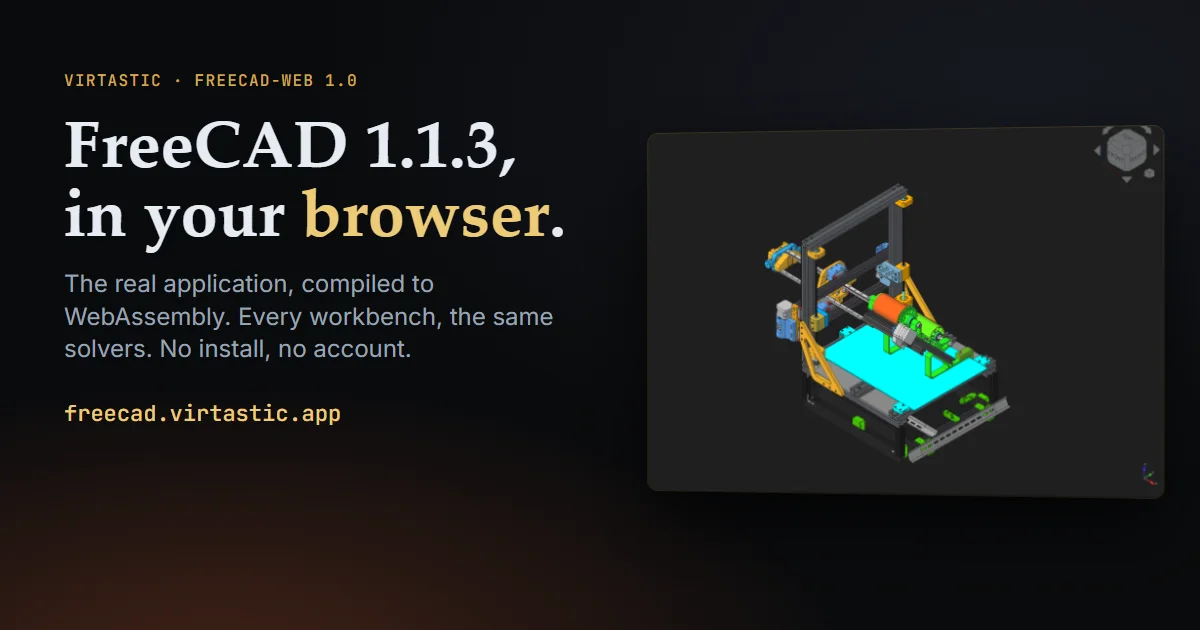
Today we are calling it 1.0. FreeCAD 1.1.3, the whole application, compiled to WebAssembly and running inside your browser.
Open it. No account, nothing to install, Chrome or Edge 137 or newer.
Not a viewer. Not a “lite” edition. Not a desktop streamed from a server somewhere. When you open that link, the browser downloads the engine once and keeps it. From then on the OCCT geometry kernel, the Coin3D scene graph, the Qt 6 interface, the CPython interpreter with every Python workbench, and the FEM solvers all execute on your machine. The server hands out static files and nothing else. Your documents autosave to browser storage and never leave it.
What 1.0 means
In August we set the bar at usable rather than impressive. 1.0 is where the things that were still missing then are no longer missing, and where every claim below has been verified with real mouse and keyboard input against the build that is live, rather than with scripted API calls. That distinction matters more than it sounds: for a while every scripted dialog test passed while not a single dialog opened from a real click.
All 20 workbenches activate on first click. Part, PartDesign, Sketcher, Draft, BIM, FEM, CAM, TechDraw, Assembly, Mesh, Spreadsheet, OpenSCAD, Surface, Points, Inspection, Material, Robot, Reverse Engineering, Test, and the empty one.
About 500 of FreeCAD’s own unit tests pass in the browser: PartDesign, Part, Draft, Sketcher, Spreadsheet, Mesh, Arch, TechDraw, Assembly, Materials and more. Upstream’s tests, not ours.
Modelling works the way it does on the desktop. Sketch by clicking in the viewport, add constraints through the dialog, pad through the task panel, boolean, fillet. A PartDesign pad measures 8262.4 mm³ against an analytic 8262.4.
FEM end to end. Gmsh meshes and CalculiX solves in the tab, both compiled to WebAssembly, validated to within 1% of beam theory across solids, shells, beams, plane stress, contact, frequency, thermal and nonlinear cases.
Your files, your formats. Open, save, import and export through FreeCAD’s own dialogs: FCStd, STEP, IGES, STL, 3MF, OpenSCAD CSG, SVG, DXF.
The Addon Manager works. It lists the real catalogue and installs workbenches and macros that survive a reload. In August it did not exist in the browser build; now it does.
Memory is no longer the wall. The build is 64-bit WebAssembly with a 16 GB ceiling, up from a fixed 2 GB heap. A real 42 MB project with 34 top-level parts opens in about twenty seconds; an 18 MB STL in about five.
Send someone a link
This is the part desktop FreeCAD cannot do.
Edit → Share Session… gives you a link. Whoever opens it gets your document in your environment: your units, your theme, your add-ons, your macros. They need no install, no account and no matching version, and it works whether they open it now or in three days, because the session lives on the server rather than in your tab.
One person holds control at a time. Everyone else watches live, read-only, with their own camera and their own tab. Control can be requested, granted, or taken with the editor password. Rendering happens in each visitor’s own browser. It is not screen sharing.
Let an AI drive it
Preferences → Sharing → MCP mints one URL. Paste it into Claude Code, Codex or any client that speaks the Model Context Protocol and the assistant can see and drive FreeCAD: the object tree, every property, the selection, the views, screenshots, export, all 459 GUI commands, and arbitrary Python as the backstop. The page has copy buttons for the Claude Code and Codex command lines, so there is nothing to type.
The assistant works inside your tab and inherits its rights, so it is off until you press Enable. SHARING.md covers both features, including what the operator turns on and what the assistant can and cannot do.
Run it yourself
Docker is the only requirement.
curl -fsSLO https://github.com/Virtastic/freecad-web/releases/download/v1.0.0/setup.sh
sh setup.sh
Or skip the installer:
docker run -d -p 8080:80 ghcr.io/virtastic/freecad-web:1.0.0
The installer checks Docker, pulls the image, starts it, and then verifies that the running site serves a working engine before it says so. That last step is there because both of our own sites once served a payload with its Python packages missing for two days, with the app booting happily and FEM, Draft and the Addon Manager all dead. The installer looks inside the engine before it claims success.
docker compose --profile share up -d adds the one small container that shared sessions and
the MCP endpoint need.
The limits, stated up front
- Chrome or Edge 137 or newer. Firefox and Safari do not yet ship JSPI, the WebAssembly feature this build depends on. They are refused up front, having downloaded nothing.
- The first load is about 115 MB. Return visits fetch nothing.
- Memory tops out at 16 GB, the limit V8 places on 64-bit WebAssembly. The app force-saves your documents and warns before it gets there.
- CalculiX runs single-threaded, so large FEM jobs take longer than on the desktop.
- Shared documents are stored unencrypted on the session server, readable by anyone holding the link and by whoever runs it. Nothing leaves your browser until you press Start sharing. SECURITY.md spells out what is stored and what is hashed.
- Anti-aliasing is off by default, because that is how 1.1.3 ships. MSAA is in Preferences.
What it took
Three months, 1,031 commits, and a patch set of 8,500 lines across 18 upstream trees. The rule was to adapt upstream code rather than replace it, so that the port tracks FreeCAD releases instead of forking away from them.
Almost none of the time went into compile errors. It went into things that compiled, linked, passed a scripted test, and did nothing when a person clicked: JSPI’s rule that only “promising” exports may suspend, Qt-wasm’s keyboard focus model, a GL emulation layer that had never implemented display lists, a browser cache that will not keep a 150 MB file. We wrote each one up with the upstream file and line where the mechanism lives, in BUILD-WEH.md, for anyone porting something large.
Why we build these
CAD access has always been gated by hardware and installation. A student on a Chromebook, a shared workshop machine, a library computer, a contractor who needs to open one STEP file. In a browser the first-run experience is a link, and with 1.0 that link can be to your model, in your setup.
Virtastic maintains WebAssembly ports of heavyweight open-source desktop software. In July we did the same to OpenMW, the open-source Morrowind engine, and it runs in a tab too, multiplayer included. FreeCAD is the same idea applied to the tool people work in rather than play in. The work is public-good infrastructure and so far entirely self-funded. If you work with a foundation or programme that funds open-source infrastructure or education access, we would like to talk.
The other FreeCAD in the browser
In July, magik6k published a FreeCAD WebAssembly build that an AI agent produced in about four days. It boots, it shows the FreeCAD window, and getting that far is genuinely hard. It deserved the attention it got and we said so at the time.
It is worth being precise about why that build could not become something you work in, because the reasons are structural and its own page states most of them:
- 32-bit WebAssembly. The address space tops out at 4 GB, which is why our own wasm32 builds shipped with a fixed 2 GB heap. A 42 MB assembly does not fit. Moving to wasm64 was the single largest piece of work in this port, and it is where the 16 GB ceiling comes from.
- Single-threaded. Its page says “long operations block the tab”. FreeCAD’s FEM tasks, the Addon Manager’s downloads and Qt’s own rendering assume threads exist. Threads on wasm mean a Qt built from source with the feature on, and a compositor that actually presents, which took us a month to find.
- FEM loads but does not solve or re-mesh. FreeCAD shells out to Gmsh and CalculiX, and a browser has no child processes. The only fix is compiling both solvers to wasm and teaching the workbench to call them, then validating the numbers against theory.
- No networking, so no Addon Manager and no IFC. Sockets do not exist under emscripten; the Addon Manager needs a same-origin proxy, a rewritten worker, and a guard on every place upstream shells out to git.
- A snapshot of master rather than a release, so nothing to track upstream against.
Beyond the list, there is the thing the Hacker News thread noticed: past the boot screen it was buggy. That is not a criticism of the agent. It is the point of this whole post. An agent can get a 300 MB application to compile and show a window in four days. Making it behave like the desktop took three months of a person holding it to that standard: reading the upstream source instead of guessing, driving it with a real mouse instead of a script, and refusing to close anything without a measurement. We used an agent for a great deal of the typing on this port too. The difference was never AI versus human. It was four days versus a hundred, and what the hundred were spent on.
The files in the clips
Everything else on this page is one of FreeCAD’s own bundled examples. The two real-world files are other people’s work, used with thanks:
- The 42 MB, 34-part printer assembly is
900a_GA3DtechProject_v1.0.FCStdfrom GA3Dtech’s GA3D-basicbot-2023, an open-hardware 3D printer designed entirely in FreeCAD, licensed CERN-OHL-W-2.0. - The 18 MB STL is Dovahkiin Helm Reforged by MHypothetical on Thingiverse.
Credit where it belongs
FreeCAD is the achievement here. It is a remarkable piece of engineering built by a community over many years, and all we have done is carry it somewhere new.
This port is unofficial. It is not affiliated with or endorsed by the FreeCAD project. If something breaks in the browser build it is our bug, not theirs, so please report it to our tracker and not to FreeCAD’s.
Try it
Open FreeCAD in your browser. Free, no account, nothing to install.
Source is LGPL-2.1-or-later at github.com/Virtastic/freecad-web.
- Discord: discord.gg/PzFfDkbSue
- The other ports we maintain, OpenMW and Jagged Alliance 2 among them: github.com/Virtastic
- Builds and video: youtube.com/@Virtastic-Apps
Keywords: FreeCAD, WebAssembly, CAD, release, Qt, Python, MCP
Have a desktop app that belongs in the browser? We recompile legacy desktop software to WebAssembly, then maintain and host it. Book a call.
What next: Run FreeCAD · More posts · Contact us