---
title: "Run it yourself"
description: "Run freecad-web on your own machine with Docker: install, requirements, troubleshooting, shared sessions, updating and uninstalling."
book: "Self-hosting"
order: 50
---
This page covers running freecad-web yourself with Docker: installing it, what it needs,
troubleshooting, managing the container, updating and uninstalling.
FreeCAD compiled to WebAssembly, served by nginx in a container. Docker is the only
requirement: no Python, no Node, no build tools, no compiler.
[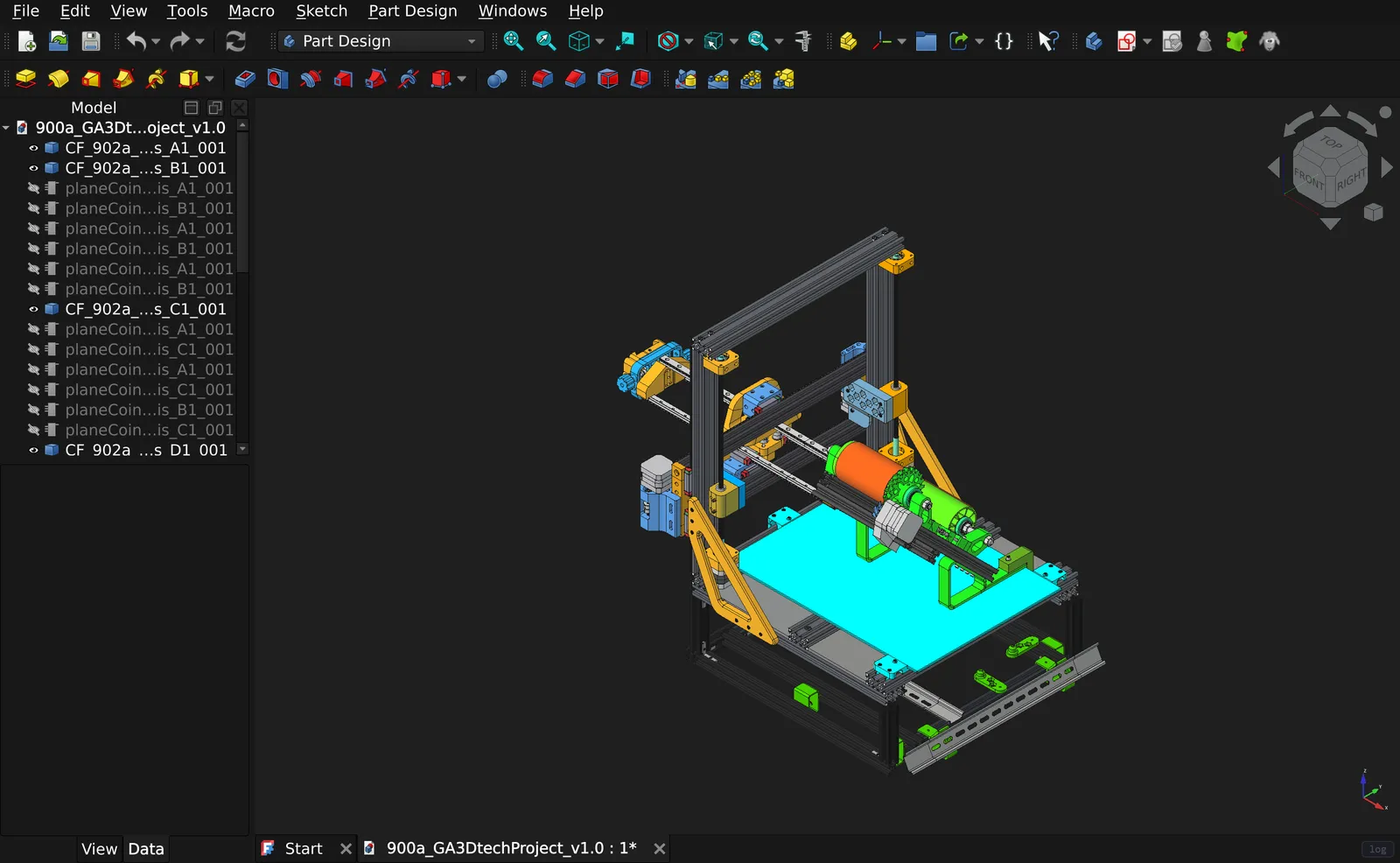](
https://freecad.virtastic.app)
*What you get: the real application, running locally in your browser.*
If you just want to use it and not host it, the hosted instance is
<
https://freecad.virtastic.app> and needs nothing at all.
## Install
```bash
curl -fsSLO
https://github.com/Virtastic/freecad-web/releases/latest/download/setup.sh
sh setup.sh
```
```powershell
# Windows PowerShell
irm
https://github.com/Virtastic/freecad-web/releases/latest/download/setup.ps1 -OutFile setup.ps1
.\setup.ps1
```
Then open **<http://localhost:8080/>**.
The script does five things, in order, and stops at the first that fails: checks your
Docker, gets the image, starts the container, waits for it to report healthy, and then
verifies the running site actually serves correctly. It does not tell you it worked until
it has checked:
```text
==> Verifying
==> freecad serving contract: http://localhost:8080
ok COOP: same-origin
ok COEP: require-corp
ok root serves the FreeCAD GUI
ok legal.html served
ok LICENSE served
ok GUI links to the license page
ok FreeCAD.wasm served
ok FreeCAD.js served
ok FreeCAD.data served
ok FreeCAD.wasm is application/wasm
ok payload carries its Python packages
==> contract OK
freecad-web is running: http://localhost:8080/
```
The last line of that list is the one worth having. Every asset can return 200 with every
header correct while the payload inside the engine is missing its Python packages, which is
what both sites served for two days once: the app booted, drew a box, and FEM, the Addon
Manager and Draft were all dead. The installer looks inside the engine before claiming
success.
### Three ways in
| | What it does | Time |
|---|---|---|
| `sh setup.sh` | Pulls the prebuilt image from GHCR. If that is unavailable it falls back to building locally, and says so. | ~3 min |
| `sh setup.sh --build` | Downloads the seven engine artifacts (~445 MB) from the release and builds the image on your machine. | ~15 min |
| `sh full-build.sh` | Clones the repository at the release tag, then does the `--build` path from that clone. | ~15 min |
| `docker run -d -p 8080:80 ghcr.io/virtastic/freecad-web:1.0.5` | No installer at all. You get the app; shared sessions need the compose file. | ~2 min |
All three produce the same running container. Use `--build` if you want to build what you
can read, or if you are on an arm64 machine and would rather have a native image than an
emulated one.
None of these compiles the WebAssembly engine from source. That is a separate ~7–9 hour
job needing ~100 GB of disk and 16+ GB of RAM, and it is documented in
[BUILD-WEH.md](
https://github.com/Virtastic/freecad-web/blob/main/BUILD-WEH.md).
### Options
| Flag | Environment variable | Default |
|---|---|---|
| `--port 9000` | `FCWEB_PORT` | `8080` |
| `--tag v1.0.0` | `FCWEB_RELEASE` | `v1.0.0` |
| `--ref dev` | none | same as `--tag` |
| `--build` / `--pull` | none | pull, with fallback to build |
`--tag` is the release whose engine artifacts and image get installed. `--ref` is the
source tree (branch or tag) the Dockerfile and compose file come from. They are the same
thing unless you are deliberately mixing a newer installer with an older engine.
## Requirements
- **Docker Engine 20.10+** with the Compose V2 plugin (`docker compose`, a space rather
than a hyphen). Docker Desktop on Windows and macOS includes both.
- **~5 GiB free** in Docker's storage for a local build; the finished image is ~1.1 GB.
- **Chrome or Edge 137+.** Firefox and Safari lack JSPI and are refused at the boot screen
having downloaded nothing. This is a browser limitation, not an installation problem.
### Use `localhost`, not the machine's LAN IP
The engine needs `SharedArrayBuffer`, which needs cross-origin isolation, which needs a
secure context. Plain HTTP is a secure context **only on loopback**. So
<http://localhost:8080/> and <http://127.0.0.1:8080/> work, and the machine's LAN address
(`
http://<lan-ip>:8080/`) loads the page and then never boots the engine.
To serve it to other machines, put it behind a reverse proxy with real TLS. Pass the
`Cross-Origin-Opener-Policy` and `Cross-Origin-Embedder-Policy` headers through unchanged
and do not add your own, because duplicates break isolation just as effectively as absence.
## Troubleshooting
**"Docker is not installed"**: install it from
<
https://docs.docker.com/get-started/get-docker/>. Docker Desktop for Windows/macOS,
Docker Engine plus the compose plugin for Linux.
**"Docker is installed but the daemon is not reachable"**: the command-line tool exists
but nothing is listening. On Windows/macOS, start Docker Desktop and wait for "Engine
running". On Linux, `sudo systemctl start docker`; if it says permission denied, run
`sudo usermod -aG docker "$USER"` and then log out and back in.
**"Docker is in Windows container mode"**: right-click the Docker whale in the system
tray, choose *Switch to Linux containers…*, wait for the engine to restart, re-run.
**"You have the legacy docker-compose (v1)"**: Compose v1 is end-of-life. Install the V2
plugin: <
https://docs.docker.com/compose/install/>.
**The pull fails and it builds instead**: expected if the package has not been made
public yet. The local build produces the same thing; it just takes longer.
**Port 8080 is already in use**: `sh setup.sh --port 9000`.
**The page loads but the engine never reaches Ready**: almost always either a
non-loopback URL (see above) or an unsupported browser. Check the browser console for a
`crossOriginIsolated` warning.
**The Addon Manager cannot reach anything**:
[`infra/nginx.conf`](
https://github.com/Virtastic/freecad-web/blob/main/infra/nginx.conf)
proxies a fixed allowlist of upstreams through `1.1.1.1` and `8.8.8.8`. On a network that
blocks those resolvers the Addon Manager will not work; the application itself is
unaffected.
## Managing it
```bash
cd <the directory setup.sh reported>
docker compose down # stop
docker compose up -d # start again
docker compose logs -f # follow the logs
docker compose ps # is it healthy?
```
### Shared sessions
Shared sessions and the MCP endpoint are a second container, off unless you ask for it:
```bash
docker compose --profile share up -d # start it
docker compose --profile share down # stop it again
```
Stopping that one container is the kill switch: the application keeps running exactly as
before and the Sharing page says the service is not running.
To see what is stored:
```bash
docker compose exec session python /srv/share.py --list
docker compose exec session python /srv/share.py --stats
```
[Shared sessions and the AI assistant](
/freecad/docs/sharing/) covers the settings, the
passwords and what travels in a session.
### Updating
Re-run the installer with the newer tag:
```bash
sh setup.sh --tag v1.1.0
```
### Uninstalling
```bash
docker compose down
docker image rm ghcr.io/virtastic/freecad-web:1.0.5
```
If you ever ran the share profile, the image is not the whole of it: shared sessions live
in a named Docker volume that `down` leaves behind. Removing it deletes every shared
document permanently, and nothing else holds a copy of them:
```bash
docker compose --profile share down -v
```
(Compose prefixes the volume name with the directory name, so remove it through compose
rather than guessing at `docker volume rm`.)
Nothing else is written outside Docker: no service installed and no file dropped in a
system directory.
Your own **documents are not in the container**. They live in your browser's storage, so
removing the container does not delete them, and neither does re-running the installer.
Export anything you care about through *File → Export* first if you are clearing browser
data.
A document you shared is the exception: a copy of it, plus the settings, macros and
add-ons the session carries, sits on the volume above as plain unencrypted files. Anyone
with access to that server can read them. Stop sharing when you are done.
## License
LGPL-2.1-or-later, matching FreeCAD. The running application serves its full attribution
at `/legal.html`, linked from the boot screen. Gmsh and CalculiX ship as separate GPL
WebAssembly modules rather than being linked in.